
Subway®
SUBWAY RestaurantsFood & Drink
4.1135.74K Reviews
- Version
- 103.0.1
- Installs
- 10.00M
- Age Rating
- Everyone
Screenshots
Our Review of Subway®
 Analysis by Appyee
I use the Subway® app as a practical way to plan a Subway meal before I reach the counter, especially when I already know what I want or need a moment to compare choices. It is a free Food & Drink app from SUBWAY Restaurants, and its main appeal is simple: I can browse the menu, build an order, and make a few decisions at my own pace. The app has a 4.2 average from around 491,000 ratings, with over 10 million installs, so it is a familiar option for people who order from the chain regularly. That popularity does not make it right for everyone, though. Its usefulness depends on whether you want Subway food, whether ordering on a screen suits you, and whether the location options work for your plans.
Readability, navigation, and choosing an order
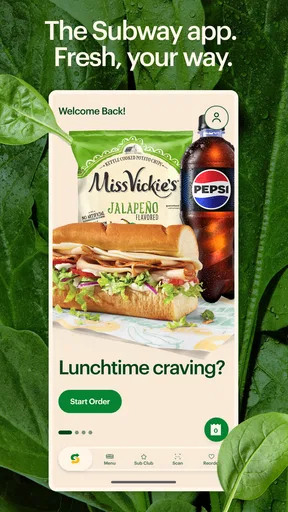
Right off the bat, the Subway® app impresses with its user-friendly interface. Navigating through the menu is a breeze. You can easily find all your favorite sandwiches, sides, and drinks. With detailed descriptions and images, it's almost like you can taste the sandwiches through the screen. The app also allows you to customize your order, so if you're feeling a bit adventurous, go ahead and pile on those jalapenos!
That visual menu is useful for more than browsing. I find it helpful when I want to compare a familiar sandwich with something I do not usually order without holding up a line or trying to remember every option at the counter. Reading through the choices first lets me think about the combination as a whole: bread, fillings, vegetables, sauces, and sides. It is also easier to pause and reconsider a change than it can be during a quick in-person conversation. For someone who likes to make deliberate choices, that extra time is a real benefit.
Still, an image should be treated as a guide, not a promise that every order will look exactly like the screen. A sandwich is assembled in a restaurant, and the final result can depend on the person preparing it and the ingredients available there. I use the app to clarify what I want, rather than expecting the picture to settle every question about portion, presentation, or preparation. If a particular ingredient matters to you, check the options carefully and make sure your selection is clear before placing the order.
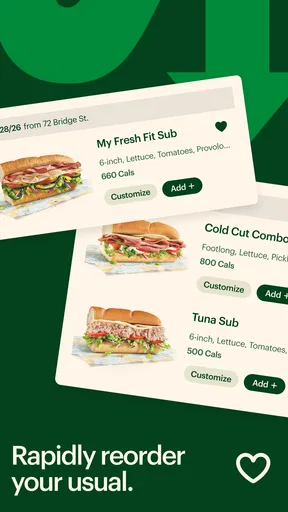
Placing an order is straightforward. You can choose to pick up your order at the nearest location or have it delivered right to your doorstep. The app even remembers your previous orders, which is a lifesaver for those "I-want-the-usual" days.
The remembered-order convenience is most valuable when your regular meal really is regular. If you have a dependable combination and little time, repeating it can cut down on menu browsing and reduce the chance of forgetting a topping or side. I would not rely on an old order without checking it, however. Your appetite may have changed, you may want a different drink, or the restaurant and ordering context may not be the same. A quick review before checkout is a better habit than tapping through on autopilot.
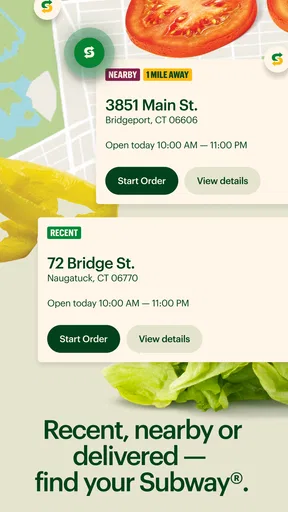
For a realistic lunch break, imagine deciding what to eat while walking between errands. I can open the menu, settle on a sandwich, adjust the ingredients, and choose a pickup option before I arrive. That can make the stop feel more organized than arriving hungry and making every choice in a queue. It is especially handy when I am ordering for myself and already know the restaurant I intend to use. If the plan is uncertain, though, I would first make sure the selected location and fulfillment option fit where I will actually be; a well-built order is not useful if it is tied to the wrong stop.
Deals and rewards galore
One of the best features of the Subway® app is its integration with their rewards program. Every purchase earns you points, which you can redeem for free food. Who doesn't love free food, right? Plus, the app frequently offers exclusive deals and discounts. It's like having a little secret that only you and Subway know about.
The practical value of rewards depends on how often you already eat at Subway. If it is part of your usual routine, keeping track of rewards in the same place as your orders can make the app more worthwhile. If you only visit occasionally, I would not let points or a promotion persuade me to buy something I did not want in the first place. I treat an offer as a useful extra when it matches a meal I planned to get anyway, not as a reason to spend more or choose a less suitable order.
The notifications are handy too. You'll receive alerts about new promotions and limited-time offers, ensuring you never miss out on a good deal. It's like having a personal assistant keeping track of all the savings.
Notifications can also become one more source of interruption, so I would think about whether reminders genuinely help me. Someone who checks the app when planning a meal may prefer to look for offers at that moment rather than receive alerts throughout the day. A deal is only useful if its terms and timing suit the order I am making. I would check the details in the app before assuming an offer applies to a particular meal or location, and I would not build a complicated order around a discount until I know what it covers.
Customization, saved choices, and dietary decisions
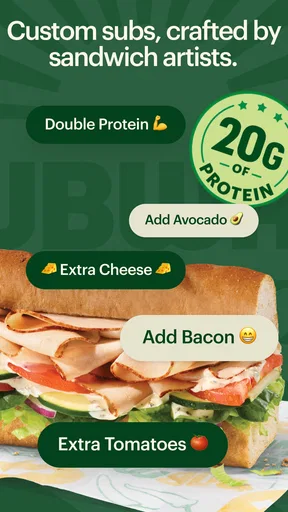
What sets the Subway® app apart is the level of customization it offers. Not only can you personalize your sandwich, but you can also save your favorite combinations for future orders. It's perfect for those days when you're in a rush but still want something delicious and satisfying.
Saved combinations can be a small but meaningful time-saver for households or workmates who each have a distinct usual order. Rather than rebuilding the same sandwich from memory, I can start with a choice I already like and then check whether anything needs changing. That is a better workflow than treating a saved meal as permanently correct: preferences change, and a repeat order deserves a quick look before submission. When ordering for someone else, I would confirm the ingredients with them instead of assuming that a saved selection still reflects what they want.
Additionally, the app includes nutritional information, which is fantastic for those who are health-conscious or have dietary restrictions. You can easily keep track of calories, carbs, and other nutritional details to make informed choices.
That information is best used as a comparison aid. I can look at options before ordering and decide which combination better fits my own priorities, rather than trying to calculate everything from memory at the counter. People managing a strict dietary need should still read the details carefully and ask the restaurant about preparation when the answer matters. Nutrition figures and ingredient choices are useful for planning, but they do not replace checking that a meal is suitable for an individual allergy or other medical requirement.
There is also a useful trade-off between fine control and decision fatigue. The ability to adjust many parts of a sandwich is appealing when I know exactly what I enjoy, but it can make ordering feel like a long sequence of small choices if I am tired or in a hurry. I find it helps to decide on the main sandwich first, then make only the changes I actually care about. If I am happy with a saved combination, I use that as a starting point and avoid turning lunch into an unnecessary exercise in optimizing every topping.
Using the app across different abilities and situations
For someone who finds a busy counter difficult, being able to browse and make choices privately may reduce some of the pressure of ordering face to face. The app gives me space to reread menu descriptions and consider changes at my own pace. That can be helpful for people who prefer written information or need extra time to decide. At the same time, a phone interface is not automatically easier for everyone. Small controls, a bright screen, or a sequence of choices can be tiring for someone with low vision, limited dexterity, or sensory sensitivities.
I would approach customization in a way that fits the person using the phone. If tapping through a long list is uncomfortable, a familiar saved order can reduce the number of decisions, provided it is checked before checkout. If reading on a screen is difficult, taking time in a comfortable setting and adjusting the device’s usual display settings may help, but the app itself should not be assumed to solve every access need. Someone who finds screens frustrating may prefer to order directly with staff, where they can ask questions aloud and explain a request in their own words.
Situational access matters just as much as interface design. When I am at home, I can take my time comparing the menu and use the app without feeling rushed. On a crowded street, in poor lighting, or while carrying bags, entering a detailed order can be inconvenient and distracting. I would not try to customize a meal while walking or driving; it is safer and easier to stop somewhere appropriate first. The app is best when I can give it a little attention, rather than when I am trying to do several things at once.
Ordering ahead can also help when coordinating a meal with another person: each person can state what they want before the order is submitted, which is less error-prone than relying on one person’s memory. But it does not remove the need to confirm unusual requests or dietary concerns. If a group has very different preferences, the app may make individual choices easier to inspect, while a direct conversation with the restaurant may be better for questions that need a specific answer. For a straightforward group order, I would check each item and its customizations separately before moving on.
Where it fits among other ways to order
Compared with walking into a Subway and ordering at the counter, the app gives me more time to review the menu and build a meal without holding up the people behind me. The counter is still the better option when I have a question that is easier to explain aloud, when I want to decide after seeing the restaurant, or when using a phone is inconvenient. I see the two methods as alternatives for different moments, not as a reason to avoid staff entirely.
Compared with general restaurant or delivery apps, Subway’s own app is naturally more focused on Subway’s menu, customization, and rewards. That focus can be an advantage if I already know I want a Subway sandwich and want to work with the chain’s choices. A broader food app is more useful when I have not decided what cuisine or restaurant I want, or when I am comparing several businesses in one place. The better choice is the one that matches the decision I am making: this app helps with a Subway order; it is not a general guide to every nearby meal.
There are sensible reasons to skip it. If you rarely eat at Subway, do not care about saved orders or rewards, and prefer choosing in person, the app may add little to your routine. It is also not the best route when you need to discuss a complex ingredient concern or want a conversation before committing to a meal. I would use it when advance planning and menu control matter, and choose another way to order when direct discussion, spontaneity, or a wider selection of restaurants is more important.
My verdict on convenience and inclusion
In a world where convenience is king, the Subway® app delivers on all fronts. From easy navigation and ordering to fantastic deals and a rewarding loyalty program, it ticks all the boxes for a great dining experience. So, the next time your stomach starts growling, don't waste time thinking about what to eat. Just open up the app, make your selection, and let Subway do the rest.
For me, the strongest reason to keep it is that it brings menu browsing, customization, repeat orders, nutrition details, and rewards together in one place. It is aimed at everyone, and the app is free; its current version is 30.18.1, and it runs on Android 7.0 or later. Its age rating is Everyone. Those details make it accessible to a broad audience in the ordinary sense, but they do not mean every person will find the interface comfortable or that every ordering situation will work smoothly. I would judge it by whether its screen-based process suits my needs, not just by its availability.
Whether you're a regular at Subway or someone looking to try something new, this app is a game-changer. Go on, give it a try, and you might just find your new favorite sandwich right at your fingertips!
Privacy and Permissions
See what permissions an app requests and how it handles your data.
- Location
- approximate location (network-based), precise location (GPS and network-based)
- Photos/Media/Files
- read the contents of your USB storage, modify or delete the contents of your USB storage
- Storage
- read the contents of your USB storage, modify or delete the contents of your USB storage
- Microphone
- record audio
- Wi-Fi connection information
- view Wi-Fi connections
- Other
- view network connections, full network access, change your audio settings, run at startup, draw over other apps, control vibration, prevent device from sleeping
Verdict
Strengths of Subway®
- User-friendly interface for easy navigation.
- Wide variety of sandwich options available.
- Customizable ingredients to suit preferences.
- Nutritional information provided for health-conscious users.
- Loyalty rewards program for regular customers.
Limitations of Subway®
- Limited delivery areas restrict access.
- Occasional app crashes reported by users.
- Some promotions not available on the app.
- In-app menu updates can be delayed.
- User interface can feel cluttered at times.
Similar Picks in This Category
View All
Rappi: Food Delivery, Grocery
Rappi, Inc - Delivery3.5

McDonald’s: Cupons e Delivery
Arcos Dorados4.3

Swiggy: Food Instamart Dineout
Swiggy4.7

Blinkit: Groceries & more
Blinkit4.8

foodpanda: food & groceries
Foodpanda GmbH a subsidiary of Delivery Hero SE4.0

Zomato: Food Delivery & Dining
Zomato4.7
Frequently Asked Questions
What is the Subway® app and what features does it offer?
The Subway® app is a convenient tool for ordering sandwiches and meals from Subway restaurants. It offers features like customizing your order, finding nearby locations, accessing exclusive deals, and earning rewards through the Subway MyWay® Rewards program. Users can also save favorite orders for quick reordering and view nutritional information.
How does the Subway MyWay® Rewards program work within the app?
The Subway MyWay® Rewards program allows users to earn points for every dollar spent when ordering through the app. Accumulated points can be redeemed for discounts on future purchases. The app provides real-time updates on your points balance, rewards available, and upcoming special promotions exclusive to members.
Is the Subway® app available on both Android and iOS devices?
Yes, the Subway® app is available for download on both Android and iOS platforms. It can be found on the Google Play Store for Android users and the Apple App Store for iOS users. Ensure your device meets the minimum system requirements for a smooth app experience.
Can I customize my sandwich order through the Subway® app?
Absolutely! The Subway® app allows users to fully customize their sandwich orders. You can select your preferred bread, toppings, sauces, and extras, ensuring your meal is exactly how you like it. The app also provides options to save your customized orders for quick future reordering.
What payment methods are accepted in the Subway® app?
The Subway® app supports various payment methods for user convenience, including credit and debit cards, PayPal, and Subway® gift cards. Users can securely store their payment information in the app for fast and seamless checkout during future orders. Always ensure your app is updated for the latest payment features.
